Beyond Beautiful.ai: Unlocking True Design Freedom for Premium Presentations
Clean slides are useful. But clean slides are not always enough.
Beautiful.ai became popular because it helps teams avoid messy presentation design. Its smart templates can keep slides aligned, balanced, and visually consistent without forcing users to adjust every layout by hand. For many people, that is exactly what they need.
But there is a difference between a deck that looks clean and a deck that feels premium.
A high-stakes presentation has to do more than avoid design mistakes. A pitch deck needs to build confidence. A brand proposal needs to feel distinctive. An enterprise sales deck needs to look credible before the first conversation begins. An executive presentation needs to make the message feel sharp, controlled, and ready for action.
That is where some teams begin looking for a Beautiful.ai alternative.
They may not be trying to escape design automation. They may be looking for more creative judgment, more strategic control, and more freedom to shape a presentation around the brand, the audience, and the business moment.
Pi, short for Presentation Intelligence, is built for that more advanced layer of presentation creation. Instead of focusing only on automated layouts, Pi helps teams create business-ready decks with multi-agent AI, stronger structure, and premium visual direction.
The Design Ceiling of Smart Templates
Smart templates are helpful because they reduce chaos.
They can prevent crowded slides, uneven spacing, inconsistent formatting, and layouts that look unfinished. For internal updates, simple reports, classroom presentations, startup drafts, and general business communication, this kind of automation can save time and reduce design stress.
That is the real value of tools like Beautiful.ai. They help users move from blank slides to clean slides faster.
But the strength of smart templates is also their boundary.
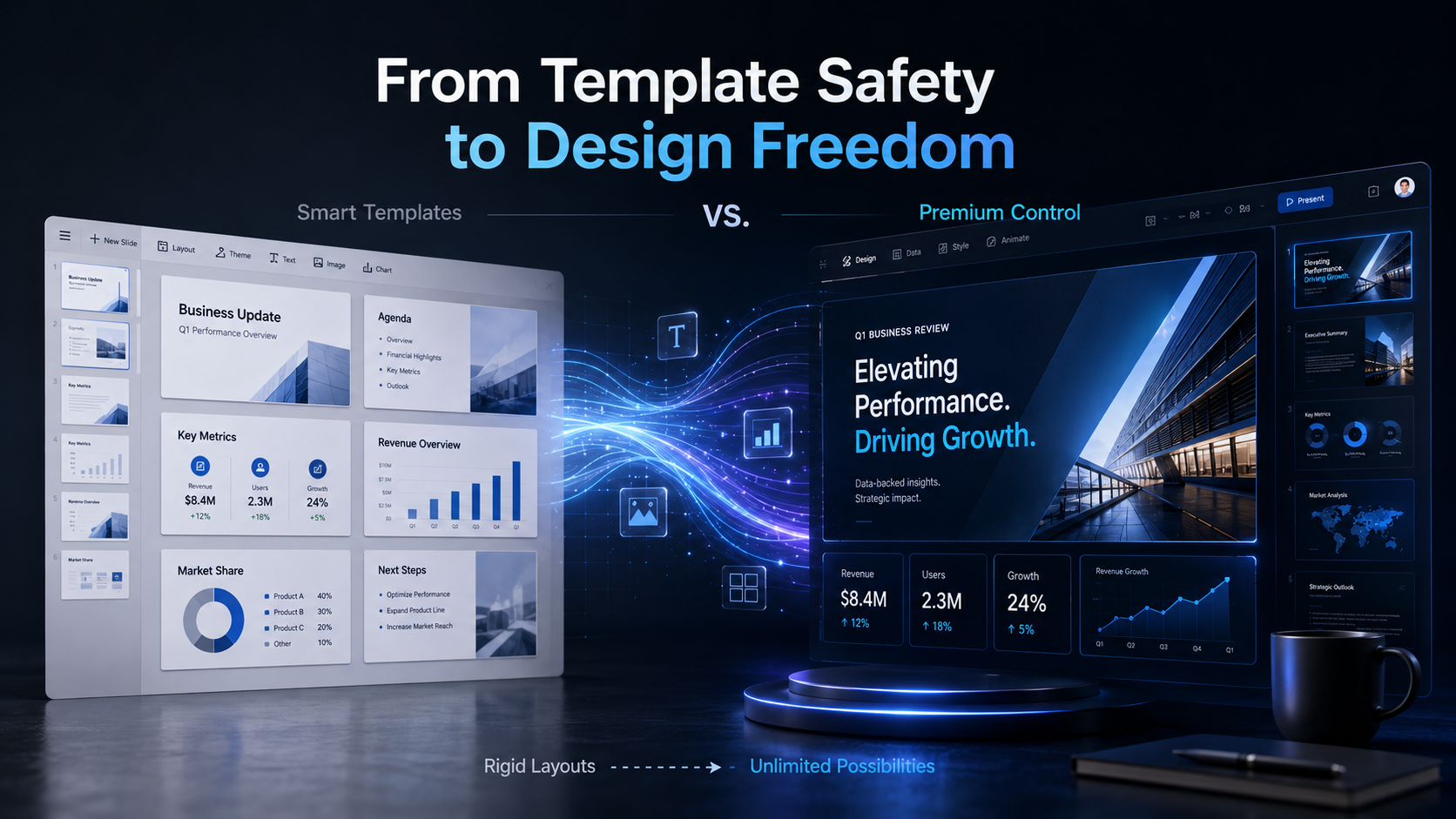
Templates are designed to create consistency. They guide users toward safe layouts, predictable structures, and repeatable visual patterns. That works well when the goal is efficiency. It can feel limiting when the goal is distinction.
Premium presentations often need more than a clean template. They need a point of view. They need visual pacing. They need design choices that feel specific to the audience and the message.
A deck can be tidy and still feel generic.
That is the moment when design automation starts to feel less like a shortcut and more like a ceiling.
Why Premium Decks Need More Than Good Layouts
Premium presentation design is not about adding more decoration. It is about making sharper decisions.
The cover slide sets the tone. The section breaks control the rhythm. The chart style affects trust. The amount of white space changes how confident the message feels. The image direction can make a brand feel either generic or intentional.
For professional teams, design and strategy are not separate. The way a slide looks changes the way the argument lands. Strong visual hierarchy helps the audience understand what matters first, what supports it, and where to look next.
A luxury brand proposal should not feel like a generic startup update. A consulting report should not look like a social media carousel. A sales deck for an enterprise buyer should not feel like a quick internal draft.
Different business moments require different presentation decisions.
That is why premium decks need more than automated layout rules. They need clear business logic, audience-specific structure, professional copywriting, brand-aware visual direction, and design polish that does not feel templated.
A good AI presentation maker should not only help teams avoid bad design. It should help them make better communication decisions.
The Moment Teams Look for a Beautiful.ai Alternative
Teams often start looking for a Beautiful.ai alternative when their deck becomes more important than the template.
Maybe the presentation is going to investors. Maybe it will be sent to a major client. Maybe it needs to represent a premium brand. Maybe it has to summarize complex research for leadership. Maybe it needs to turn scattered ideas into a persuasive business case.
At that point, the problem is no longer just, “How do we make this slide look neat?”
The better question becomes, “How do we make this presentation feel right for this room?”
That requires more than automated formatting. It requires control over the story, the structure, the visual hierarchy, and the final tone of the deck.
For teams working on pitch decks, client proposals, sales decks, executive reports, or high-end brand presentations, the best Beautiful.ai alternative is not simply the tool with more templates. It is the tool that gives them more judgment and flexibility.
How Pi Approaches Presentation Design Differently
Pi treats presentation creation as a business communication workflow, not just a layout task.
Instead of starting with the assumption that every deck should fit into a template, Pi helps teams shape the thinking behind the deck first. What is the core message? What does the audience need to believe? What structure makes the argument stronger? What visual direction fits the business context?
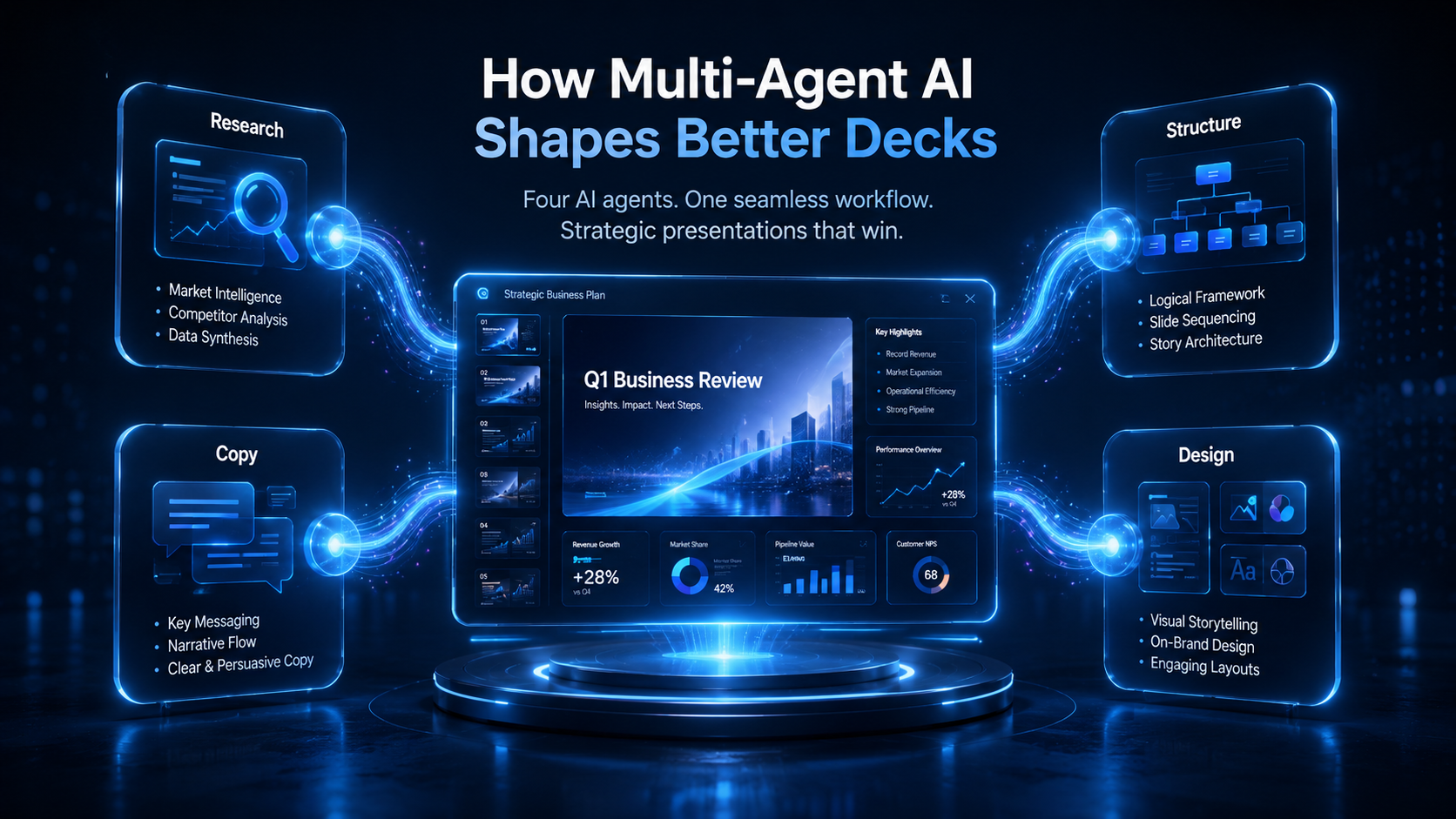
This is where Pi’s multi-agent AI workflow becomes useful. IBM describes multi-agent collaboration as coordinated actions among several independent agents working in a distributed system. In presentation creation, that idea matters because research, structure, writing, and design are different jobs.
The result is not just a clean deck. It is a deck with clearer intent.
1. It Starts with the Business Case, Not the Template
A strong presentation should begin with the reason it exists.
Before choosing a layout, teams need to understand the business case behind the deck. A pitch deck may need to prove market opportunity. A sales proposal may need to connect customer pain to product value. A brand presentation may need to make a partnership feel desirable and strategically sound.
Pi helps teams organize that thinking before the presentation becomes a set of finished slides. This makes it useful for complex business content, where the structure matters as much as the design.
Clean formatting can make information easier to read. But strong business logic makes the presentation worth reading.
2. It Shapes Visual Direction Around the Audience
Premium design is not one fixed style. It depends on who the deck is for.
A C-level strategy deck may need restraint and clarity. A high-end brand proposal may need atmosphere and taste. A product launch deck may need energy and momentum. A consulting report may need precision and hierarchy.
Pi helps teams create presentations with visual direction that fits the audience and business moment. The design is not just there to decorate the content. It helps the message feel credible, specific, and intentional.
This is the difference between a slide that looks clean and a deck that feels designed.
3. It Connects Strategy, Copy, and Design
Many presentation tools treat writing and design as separate steps. First, create the content. Then, make it look better.
But in a strong business deck, structure, copy, and design shape each other.
Pi uses multi-agent AI to support research, structure, writing, and visual direction as connected parts of the workflow. That matters because business presentations often fail when the design looks polished but the argument feels thin, or when the logic is strong but the deck looks generic.
For professional teams, the goal is not just to generate slides faster. The goal is to create a presentation that can carry a serious business message.
Beautiful.ai vs. Pi: From Template Safety to Design Freedom
| What Matters | Beautiful.ai | Pi |
|---|---|---|
| Clean layouts | Keeps slides neat with smart templates | Adds brand-fit visual direction |
| Consistent style | Helps maintain a polished look | Gives more control over deck rhythm |
| Complex ideas | Presents information clearly | Builds hierarchy and business logic |
| Client-facing decks | Creates professional-looking slides | Shapes custom, boardroom-ready decks |
| Final polish | Speeds up slide production | Aligns research, copy, and design |
The point is not that automated design is wrong. It is that premium presentations often need decisions that go beyond layout automation.
The Verdict: When Clean Is Not Enough
Beautiful.ai is useful when your main goal is to create clean, consistent slides quickly. It helps reduce design stress and gives users a guided way to avoid messy layouts.
But premium presentations are judged by a higher standard. They need to feel specific, persuasive, and right for the room.
If your team is preparing a simple internal deck, smart templates may be enough. If you are building a pitch deck, client proposal, executive presentation, or high-end brand deck, you may need more than layout automation.
Pi is built for that next step. With multi-agent AI, stronger business structure, and premium visual direction, Pi helps teams move beyond clean slides and create presentations with real strategic weight.
If your next deck needs to do more than look organized, try Pi for free and create a premium business presentation with true design freedom.
Frequently Asked Questions (FAQ)
Q: What is the best Beautiful.ai alternative for premium presentations? A: The best Beautiful.ai alternative depends on your needs. If you want clean slides quickly, Beautiful.ai can work well. If you need stronger business structure, more visual control, and premium presentation aesthetics, Pi is a strong option.
Q: Is Beautiful.ai good for business presentations? A: Yes. Beautiful.ai can be useful for business presentations that need clean layouts and consistent formatting. For high-stakes decks such as investor pitches, sales proposals, executive presentations, and premium brand proposals, teams may need more control over structure, story, and visual direction.
Q: Why do teams look for alternatives to Beautiful.ai? A: Teams often look for alternatives when smart templates begin to feel too limiting. They may need more flexibility, stronger business logic, custom visual direction, or a deck that feels more tailored to a specific audience.
Q: How is Pi different from automated presentation design tools? A: Pi is not only focused on layout automation. It uses multi-agent AI to support research, structure, copywriting, and visual direction, helping teams create business-ready presentations with more strategic depth and premium polish.
 How to Choose the Right AI Presentation Tool in 2026: A Workflow-Based Decision Framework
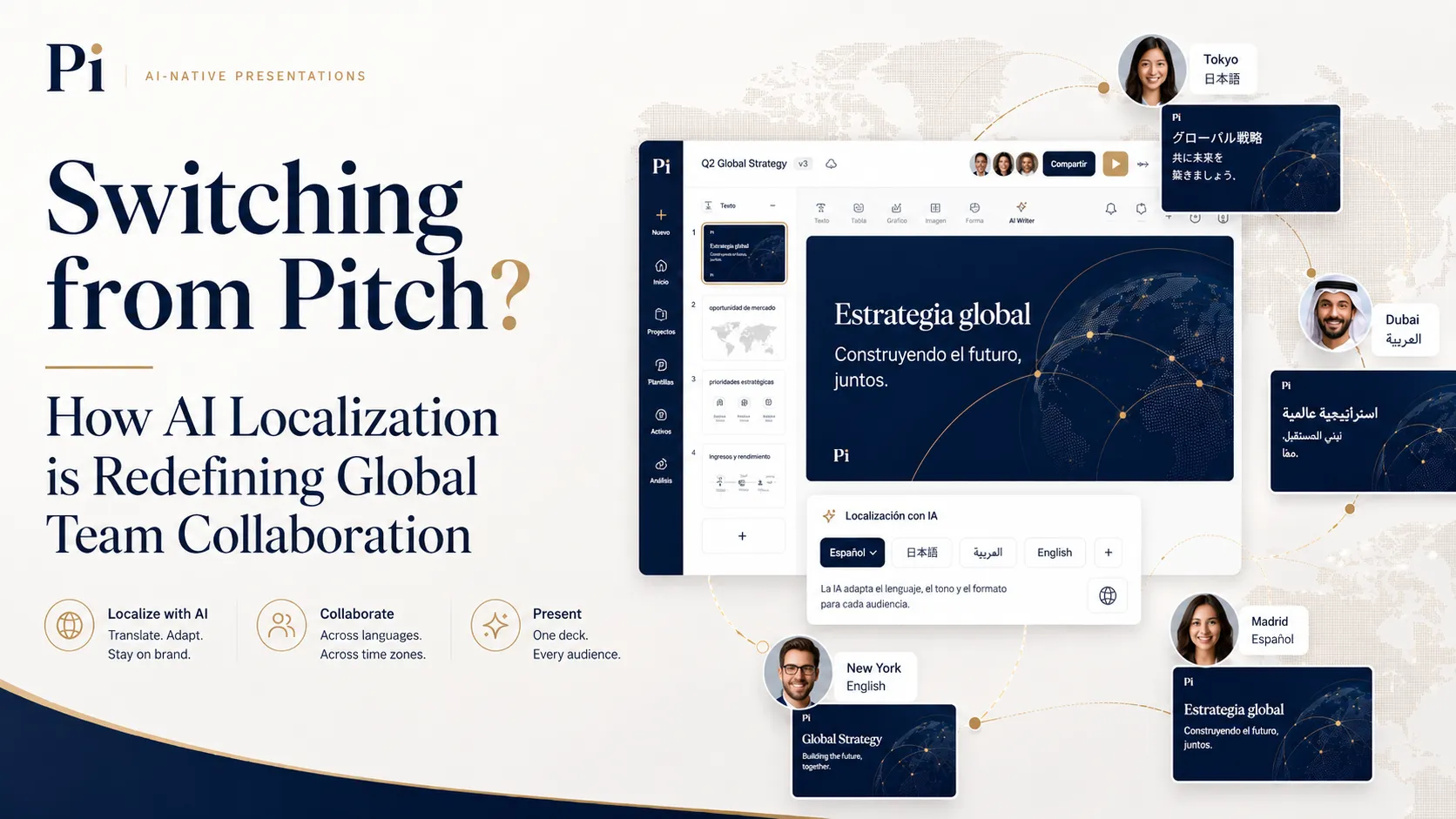 Switching from Pitch? How AI Localization is Redefining Global Team Collaboration
 The Gulf's Digital Transformation Is Real. Here's the Tool That's Helping It Happen.