Corporate Employee Onboarding Presentation: Engaging Internal Training Templates
An effective employee onboarding presentation does more than welcome new hires and explain policies. It helps people understand the company, their role, the training path ahead, and what success should look like in the first days and weeks.
For HR, L&D, and people operations teams, the challenge is repeatability. Every new employee needs a consistent experience, but each department, role, and location may require different details. A strong onboarding deck gives teams a shared foundation while leaving room for practical adaptation.
Why Employee Onboarding Presentations Often Fall Flat
Many onboarding decks are created under pressure. HR teams collect policy documents, IT instructions, benefits information, compliance notes, culture slides, and manager input, then turn everything into corporate training slides as quickly as possible. The result is often accurate but difficult to follow.
Common issues include:
- Too much policy detail placed directly on slides
- Disconnected sections from different departments
- Inconsistent messaging across teams or offices
- Little explanation of what new hires should do next
- Generic visuals that make the material feel low-priority
This matters because onboarding shapes the employee’s first impression of the organization. If the deck feels confusing, outdated, or overloaded, the new hire may feel the same way about the company’s internal processes.
What a Strong Corporate Onboarding Deck Needs to Achieve
A strong employee onboarding presentation should create clarity, not just deliver information. It should welcome the employee, explain how the organization works, introduce culture and expectations, and guide practical first-week actions.
The best onboarding decks answer the questions new hires are already asking: Why does this company exist? How does my team contribute? What tools do I need? Who can help me? What should I complete first? How will success be measured?
An HR presentation template should therefore work like a guided journey. It begins with context, moves into role and team expectations, introduces systems and policies, and ends with next steps. When the sequence is clear, employees can absorb more information with less anxiety.
A Practical Employee Onboarding Presentation Template
A reusable onboarding deck should include more than slide titles. Each section should have a clear purpose. The welcome section should set the tone and make the new hire feel expected, not processed. The company overview should explain the mission, business model, customers, and major priorities in plain language.
The culture and values section should connect values to real workplace behaviors. Instead of listing abstract words, show how decisions are made, how teams collaborate, and what communication norms look like. The team structure section should help new hires understand reporting lines, cross-functional partners, and where their role fits.
Role expectations should clarify responsibilities, success measures, early priorities, and key stakeholders. Tools and systems should focus on what employees need to access, why each tool matters, and where to find support. Policy slides should summarize essential rules while pointing employees to official documents for detail.
Finally, the training timeline should show what happens during day one, week one, month one, and the first 90 days. Support contacts and next steps should close the deck with confidence: the employee should know what to do after the session ends.
How to Make Corporate Training Slides More Engaging
Engagement does not mean making the deck casual or entertainment-focused. In corporate onboarding, engagement means making information easier to understand, remember, and act on.
Concise messaging is the first improvement. Each slide should communicate one main idea, supported by only the details needed at that moment. Scenario-based examples also help. A policy slide becomes more useful when it includes a realistic workplace situation, such as how to request time off, escalate a customer issue, or handle confidential data.
Clear milestones make the onboarding journey feel manageable. Visual timelines, first-week checklists, and role-specific action steps help employees see progress. Visual hierarchy https://www.nngroup.com/articles/visual-hierarchy-ux-definition/ also matters: headlines should state the takeaway, not merely label the topic.
Manager-facing notes can improve delivery without crowding the slide. HR can include prompts, discussion points, or reminders in speaker notes so managers can customize the conversation while keeping the core message consistent.
Where AI Training Materials Can Help HR Teams Move Faster
AI training materials can help HR teams reduce repetitive slide work, especially when source content is scattered across documents, spreadsheets, intranet pages, and department notes. AI can create a first draft, restructure long documents, summarize policies into slide-friendly language, and generate different versions for sales, engineering, operations, or regional teams.
The key is not to treat AI as a replacement for HR judgment. Legal, compliance, culture, and manager review still matter. The practical value is speed and structure: AI can help organize the raw material so HR teams spend less time formatting and more time improving accuracy, tone, and employee experience.
How Pi Helps Create Business-Ready Onboarding Presentations
Pi, short for Presentation Intelligence, is an AI presentation maker designed for professional business presentations. For onboarding and internal training, Pi can help teams turn scattered HR information into a structured, polished deck that feels consistent with the standards of external business communication.
1. Turning HR Information into a Clear Training Narrative
A common onboarding mistake is organizing slides around internal departments rather than the new hire journey. Pi’s Multi-Agent AI and business-ready structure can help reshape content around what employees need to understand first, next, and later.
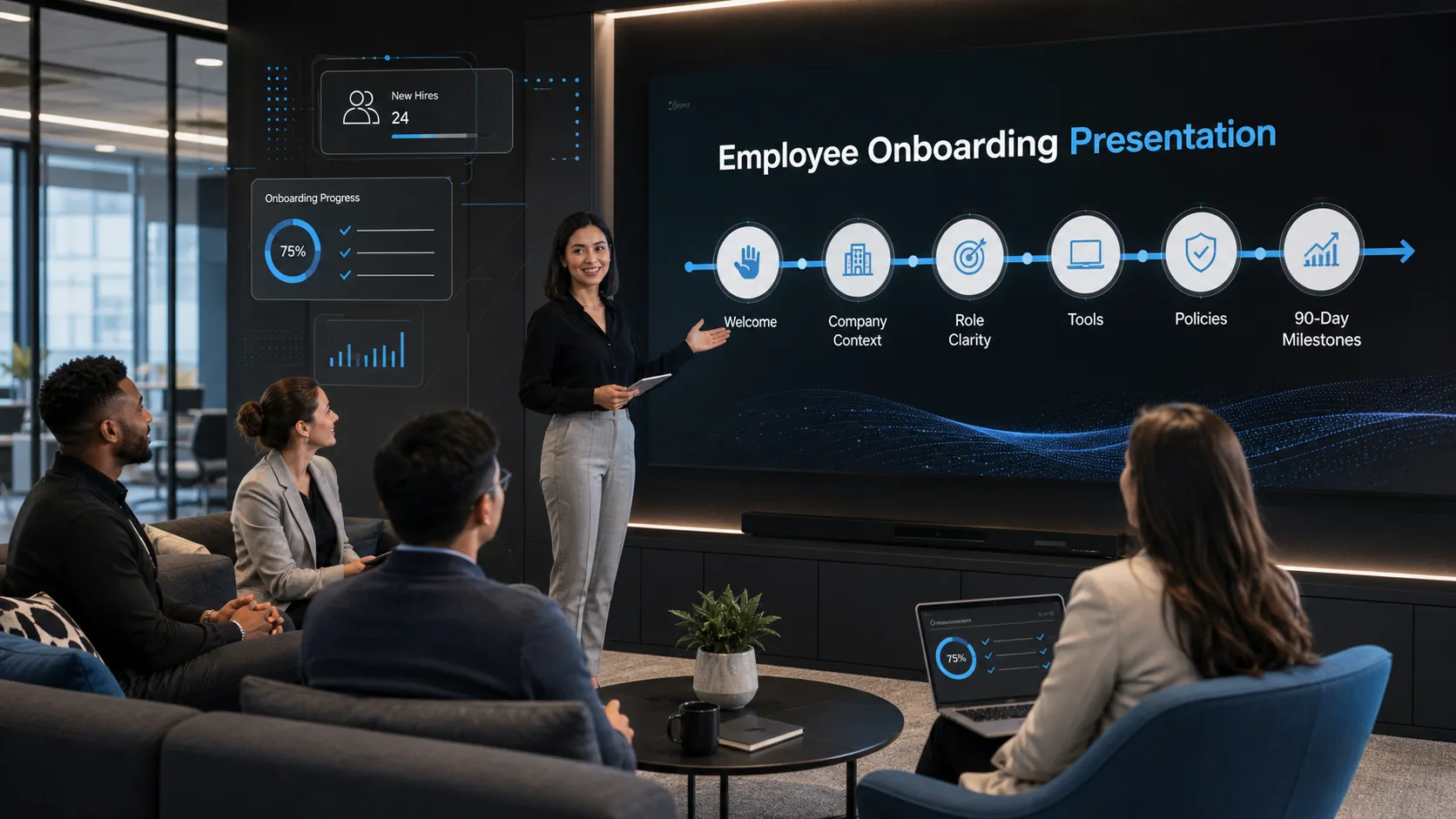
Instead of dumping every policy https://www.ibm.com/think/topics/generative-ai into a sequence of text-heavy slides, Pi can help frame the deck as a practical path: welcome, company context, culture, role clarity, tools, policies, training plan, and next actions. This makes the presentation easier for HR to deliver and easier for employees to follow.
2. Creating Consistent Slides Across Teams and Locations
Growing companies often struggle to maintain one consistent onboarding message. A headquarters deck may differ from a regional deck. A sales onboarding deck may use different language from an engineering version. Over time, updates become hard to manage.
Pi can support a more standardized workflow by helping teams create a shared HR presentation template and then adapt it for different roles, departments, or regions. The core narrative can remain consistent while local details, team workflows, or role-specific expectations are adjusted where needed.
3. Making Internal Training Materials Look Professional
Onboarding materials influence how employees perceive the company. If internal slides look rushed, the training can feel less credible, even when the content is important.
Pi’s premium visual quality helps corporate training slides feel clean, organized, and business-grade. Professional layouts, clear hierarchy, and polished aesthetics can make onboarding feel intentional. That does not replace the substance of HR content, but it helps the message land with more authority.
Employee Onboarding Presentation Template vs. AI-Generated Training Deck
| Capability | Static HR Presentation Template | AI-Assisted Pi Workflow |
|---|---|---|
| Structure | Fixed slide sequence | Adapts content into a guided onboarding narrative |
| Speed | Fast if content already fits | Faster for turning raw documents into slides |
| Customization | Manual edits for each role or region | Easier role, team, or location adaptation |
| Visual Quality | Depends on template and editor skill | Business-grade layouts and hierarchy |
| Maintainability | Updates can become fragmented | Supports repeatable refreshes and consistency |
A static template is useful when the onboarding process rarely changes and the team only needs a familiar slide format. An AI-assisted workflow becomes more valuable when content changes often, multiple teams need variations, or HR wants to improve quality without rebuilding the deck from scratch each time.
A Better Way to Build Repeatable Onboarding Materials
The strongest approach combines a clear onboarding framework, AI-assisted generation, and human HR review. The framework ensures the deck follows the employee journey. AI helps convert scattered information into organized training slides. HR, legal, compliance, and managers ensure the final content is accurate, appropriate, and aligned with company standards.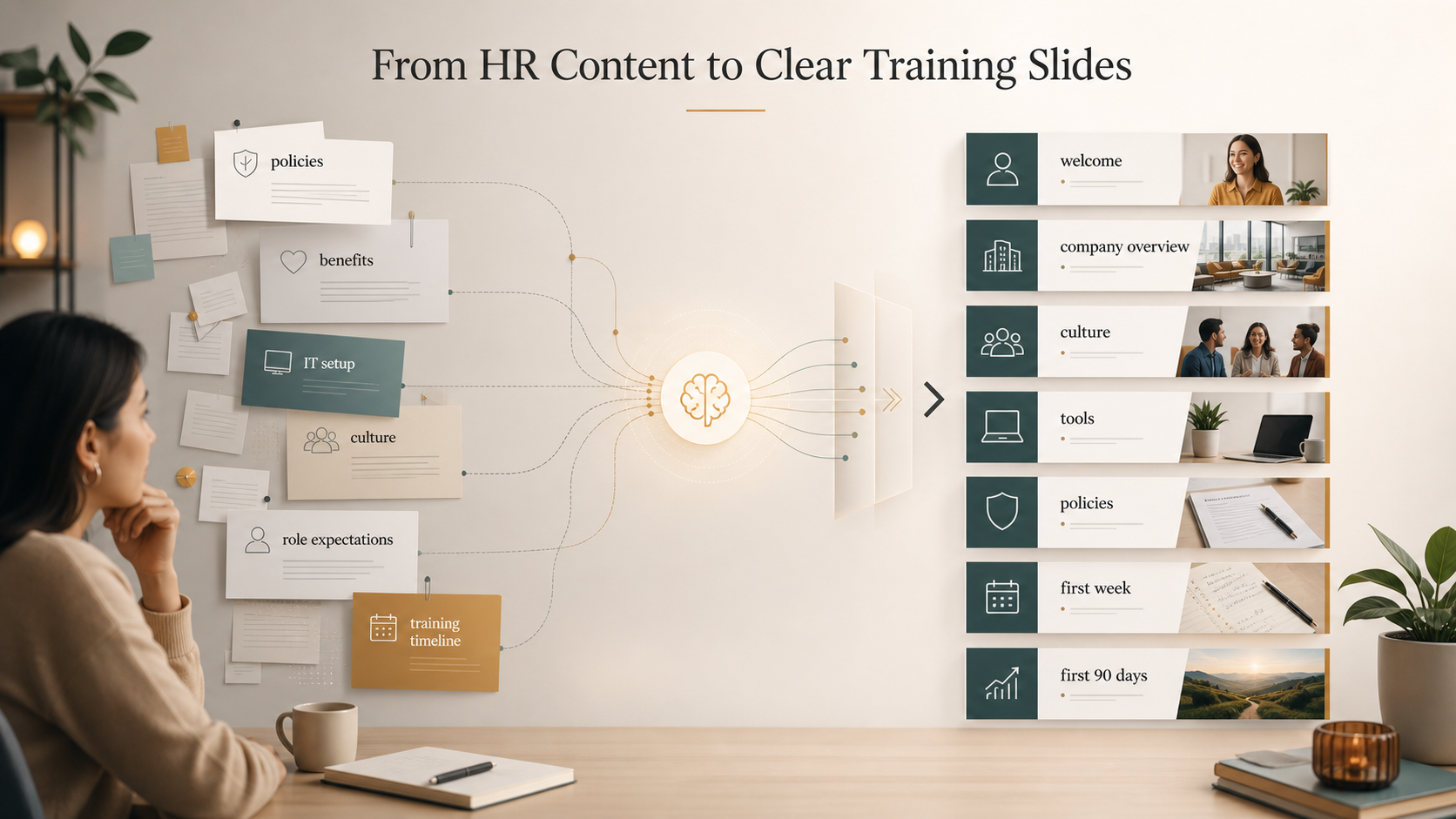
For teams that regularly create employee onboarding presentations, Pi can provide a more efficient way to build polished, repeatable internal training materials. It is especially useful when onboarding decks need professional structure, consistent messaging, and strong visual quality without turning every update into a manual slide design project.
Frequently Asked Questions (FAQ)
Q: What should an employee onboarding presentation include? A: It should include a welcome, company overview, culture and values, team structure, role expectations, tools, policies, training timeline, support contacts, and clear next steps.
Q: Is an HR presentation template enough for onboarding? A: A template is a useful starting point, but it may not solve structure, messaging, or customization challenges. HR teams still need to adapt the deck for roles, locations, and current company priorities.
Q: How can AI training materials help HR teams? A: AI can help summarize documents, create first drafts, organize training content, standardize slide language, and generate role-specific onboarding versions faster.
Q: Do AI-generated onboarding slides still need HR review? A: Yes. HR, legal, compliance, and relevant managers should review onboarding slides to confirm accuracy, policy alignment, tone, and role-specific details.
 Corporate Employee Onboarding Presentation: Engaging Internal Training Templates