Use Pi Square case studies to quickly create a compelling brand research document
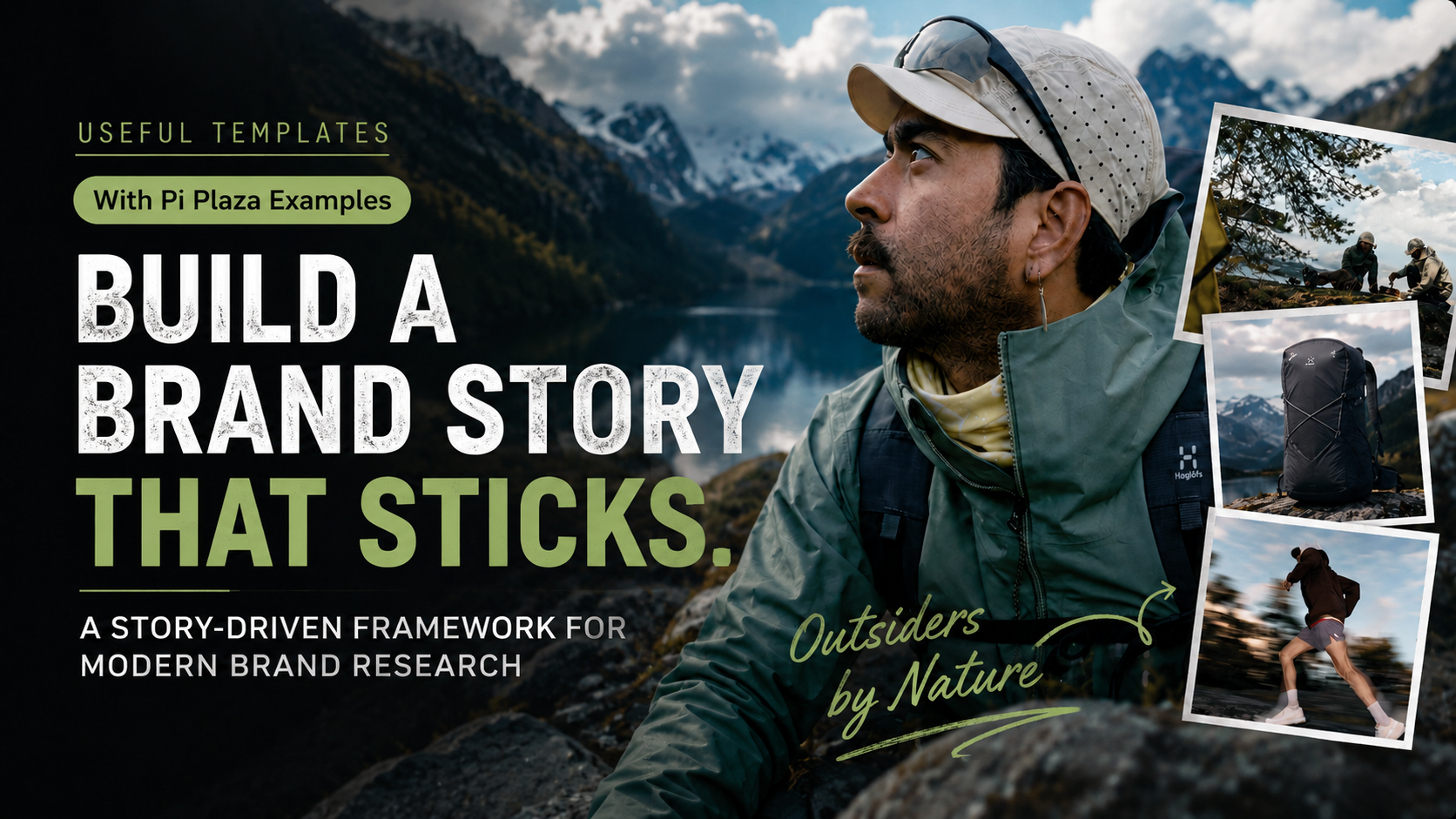
Start Creating with Pi
When creating an attractive brand research report, the hardest part is often not “not being able to find information,” but rather, when there is too much information, not knowing how to organize it into a story that is well-structured, visually appealing, and full of insights.
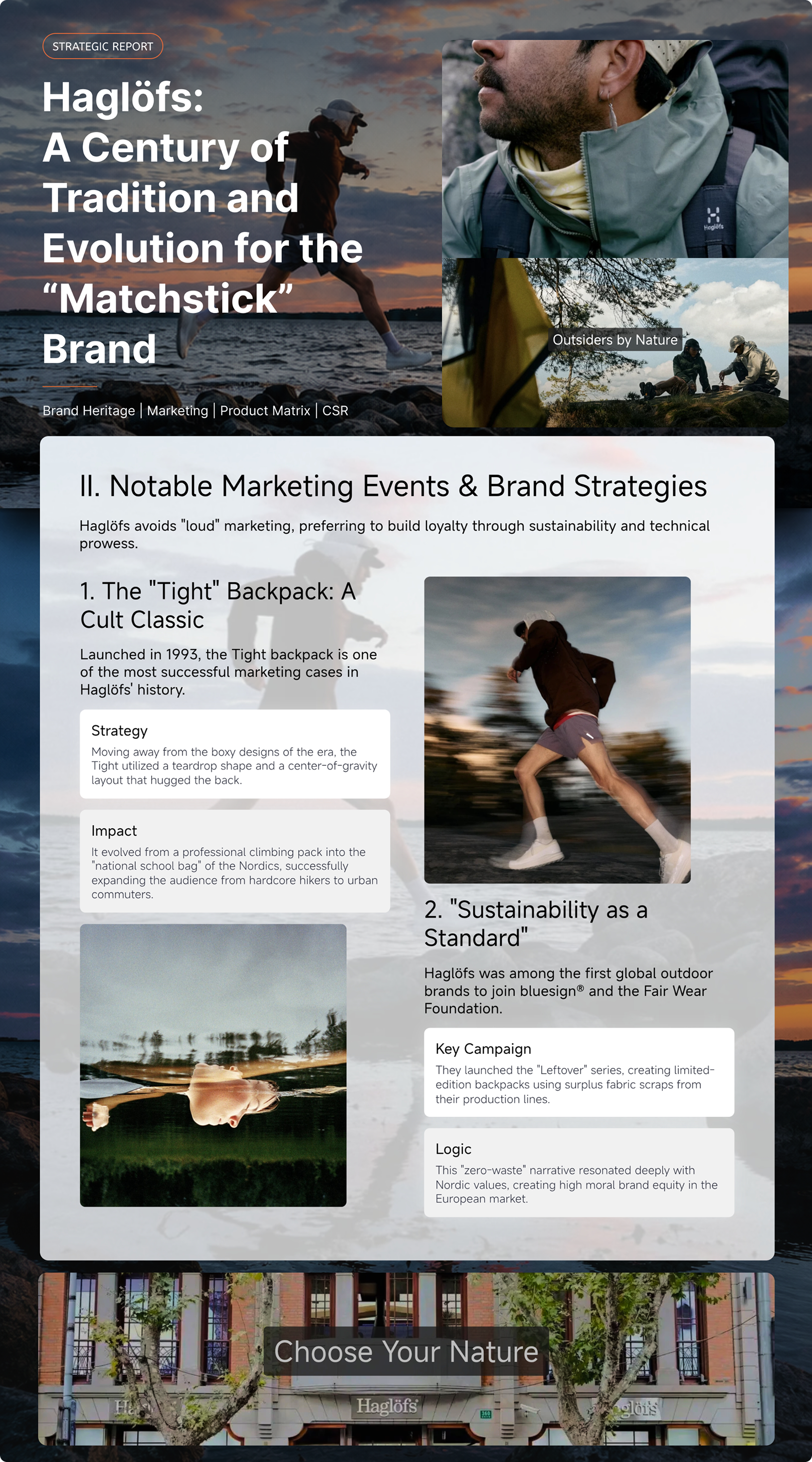
Pi Idea Featured Case Studies《Haglöfs: A Century of Tradition and Evolution for the “Matchstick” Brand》
This document, *Haglöfs: A Century of Tradition and Evolution for the “Matchstick” Brand*, available on Pi Square, serves as an excellent reference case. It is neither a typical brand introduction nor a single-page poster-style visual presentation, but rather a comprehensive brand research document that unfolds layer by layer—from the brand’s origins, core spirit, and iconic products to marketing campaigns, collaboration strategies, and sustainability initiatives.
The entire document maintains a highly cohesive aesthetic. Large-scale outdoor photography establishes a natural, austere, and professional visual tone; white text on a black background for the title blocks ensures high information recognition; and the interweaving of semi-transparent cards, columnar content, and images prevents the lengthy document from feeling like a dull repository of data. It’s as if a brand research report has been repackaged into a stylishly designed hiking backpack.
What is this document trying to convey?
This case study focuses on the Swedish outdoor brand Haglöfs, but its real message goes beyond simply stating, “This is an outdoor brand.” Instead, it explores:
how a brand can establish its own unique position through a long-term portfolio of products, a clear expression of its spirit, and a continuously evolving market strategy.
The case study begins by introducing the narrative through the brand’s spirit, then builds brand credibility by detailing its history
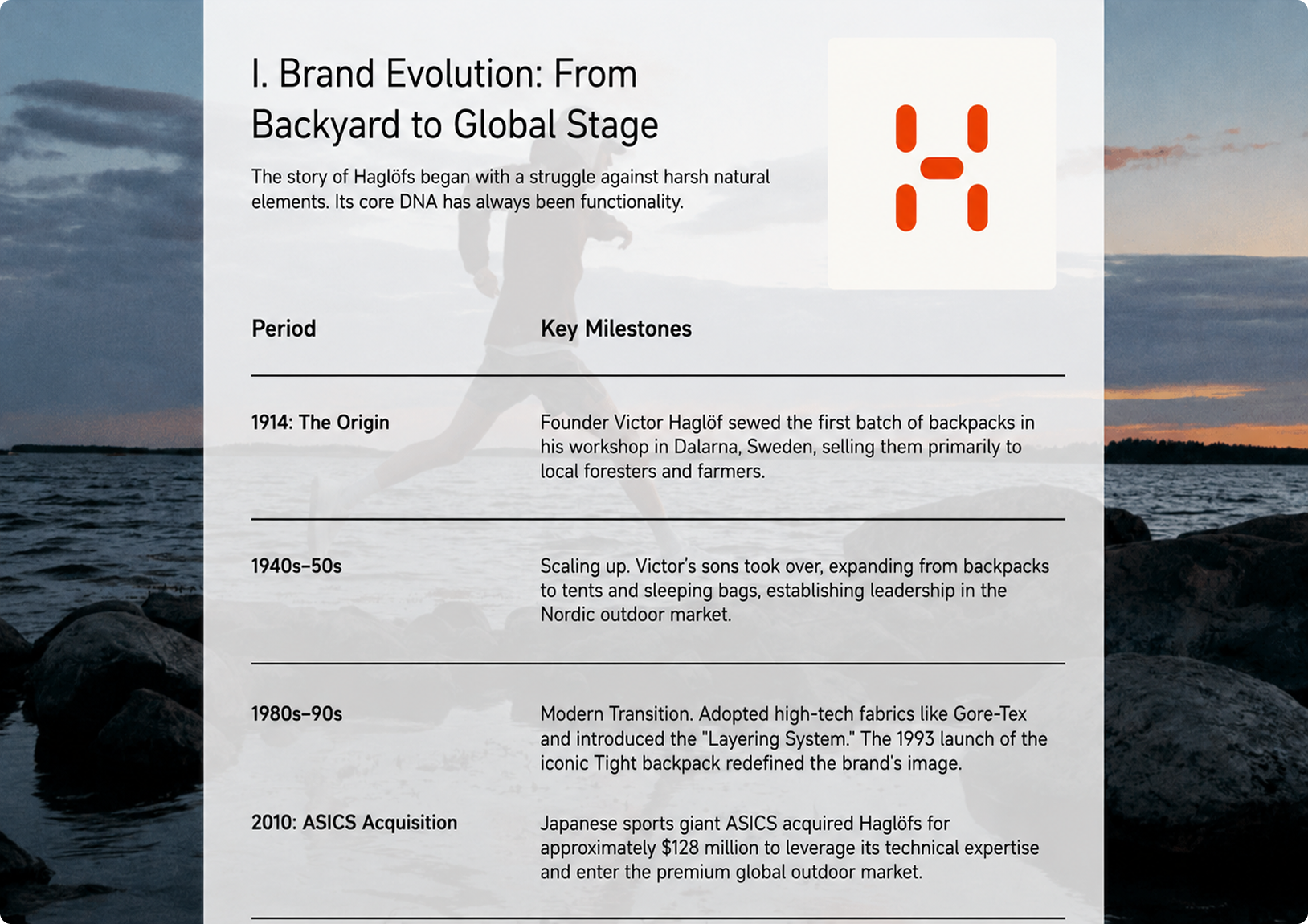
The document opens with the tagline “Outsiders by Nature,” immediately establishing the brand’s spirit: it is rooted in nature and appeals to those willing to venture off the beaten path. It then traces the brand’s evolution, placing its story on a timeline that spans from its origins in 1914, through the expansion of its product lines—including backpacks, tents, and sleeping bags—to shifts in its positioning within the global market.
This approach is more engaging than simply listing brand facts. Rather than telling users “what this brand has,” it explains “why this brand has become what it is today.” Readers see not just dates, products, and events, but a continuous journey of brand growth.
From classic products and sustainability narratives to content marketing, these case studies break down brand strategies into digestible modules
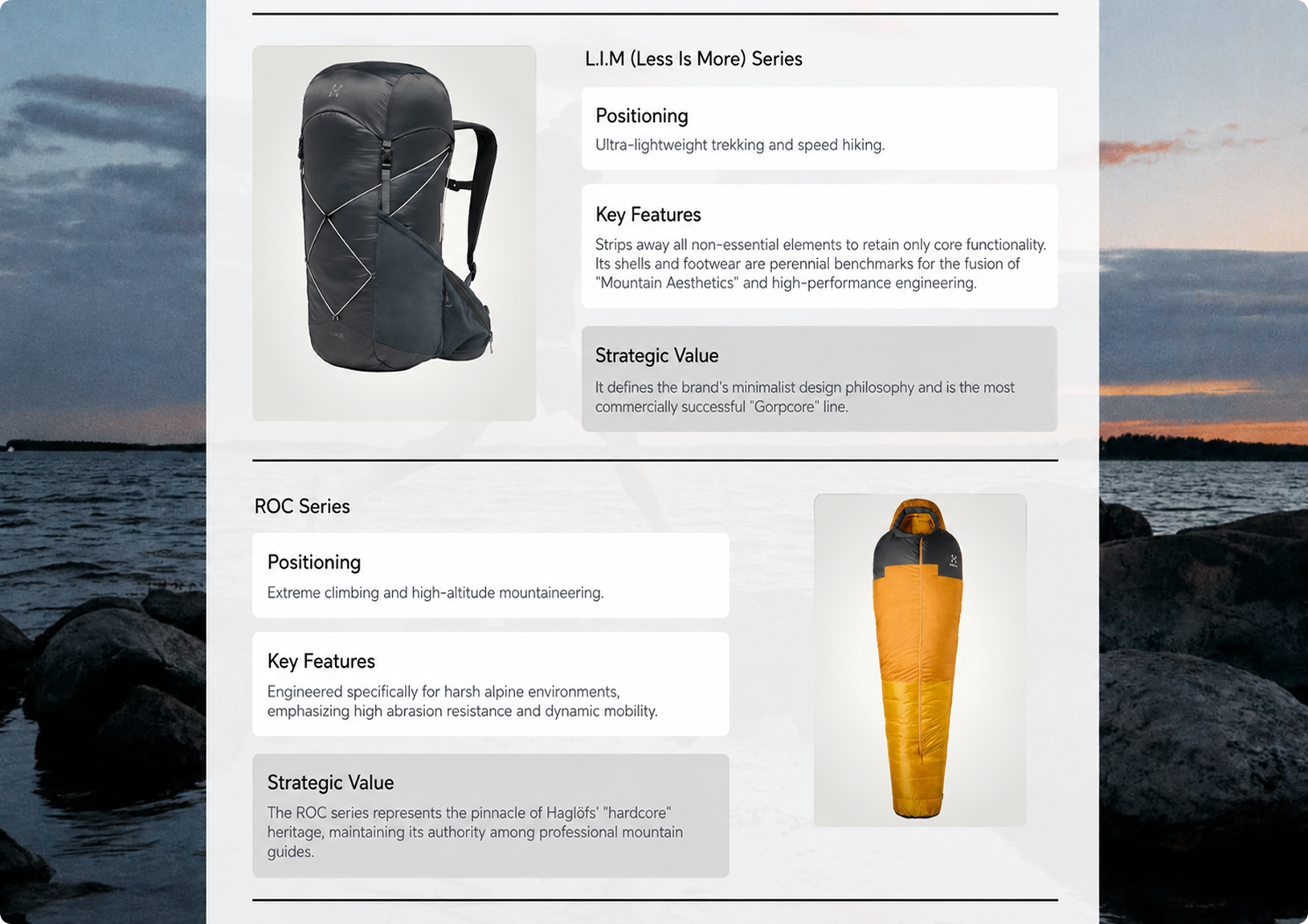
The document then moves on to the sections on marketing campaigns and brand strategy, breaking down case studies of iconic backpacks, sustainability narratives, content marketing projects, and brand collaborations. For example, “The Tight Backpack” is presented as a product story of a backpack that evolved from a specialized mountaineering pack to appeal to a broader audience; “Sustainability as a Standard” highlights how the brand transformed environmental sustainability from a marketing slogan into a brand standard; and “The Outsiders’ Diary” reinforces the brand’s outdoor spirit through documentary-style content.
This gives the entire document three distinct values: it showcases the brand story, analyzes business strategies, and serves as a visual brand case study.
What kind of content is suitable for this template?
This template is particularly well-suited for content that needs to “clearly explain why a brand is worth remembering.”
For example, you can use it for sports brand research, outdoor brand analysis, consumer brand reviews, luxury brand stories, coffee brand introductions, home goods brand proposals, or even the branding of a new product or startup project.
It’s not meant for content that can be summed up in a single sentence, but rather for topics that require a layered approach: where the brand comes from, what its core products are, what key marketing milestones it has achieved, what its visual style and target audience are, how its brand values are expressed, and where it might head in the future.
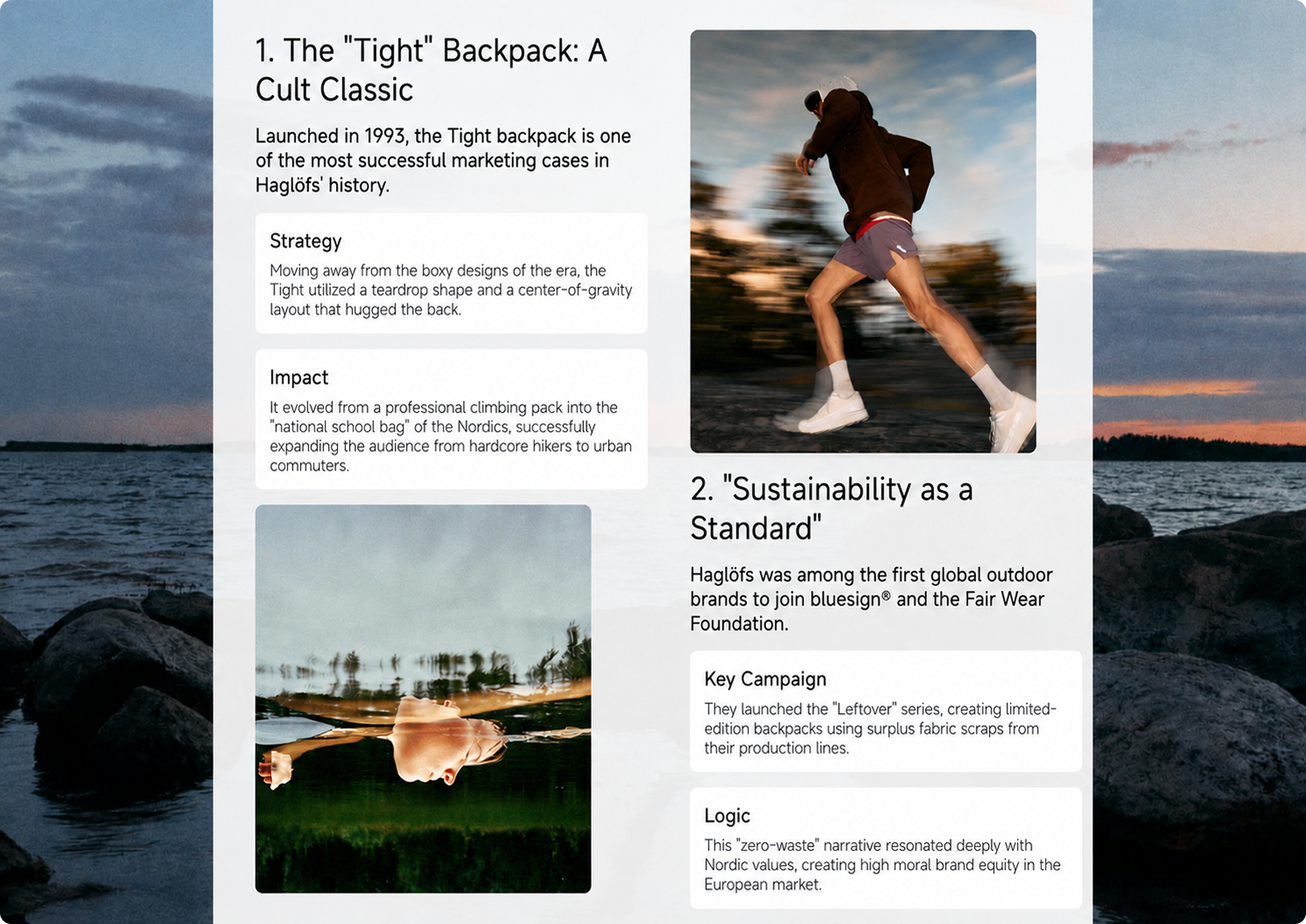
This template isn't just for telling stories about history; it's also ideal for showcasing content marketing, collaborative partnerships, and brand rejuvenation strategies
If your content includes the following types of information, this template is a great fit:
Brand history, flagship products, marketing campaigns, user personas, brand values, visual style, market positioning, collaborations, sustainability strategies, and future trends.
Compared to standard report templates, its strength lies in its narrative-driven approach. Compared to purely visual templates, it offers ample space for information. It’s ideal for organizing a collection of scattered materials into a brand document that’s easy to read, share, and present.
What page structures from this case study are worth reusing?
If you want to create something similar, it’s not just about copying its visual style—it’s more important to reuse its content structure. This example features several typical card structures that are easy to adapt to other themes.
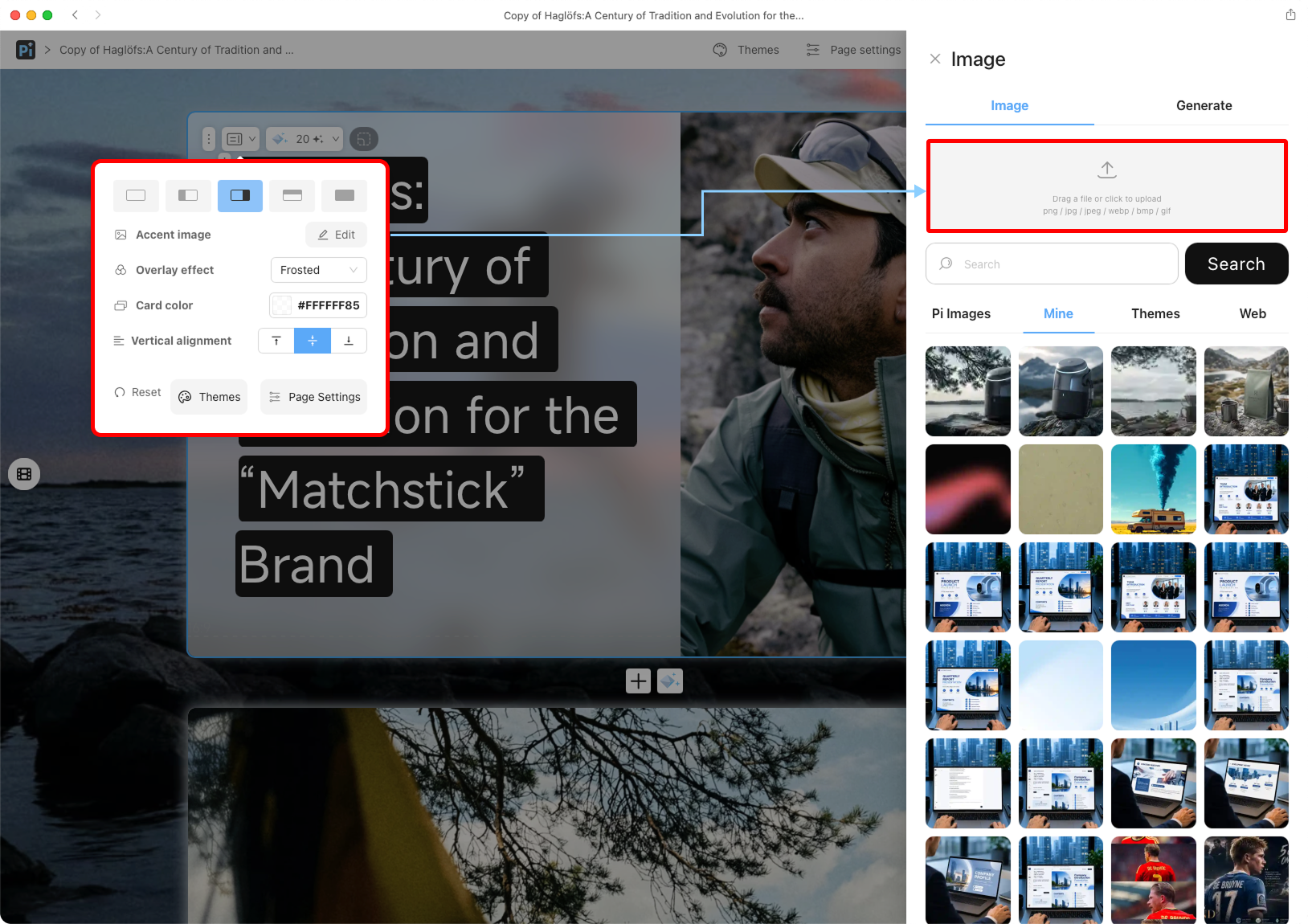
1. One-Click Image Replacement
1. Large Cover Image + Title Block
On the left side of the cover is a large-font headline, and on the right is the main visual featuring a person. The headline isn’t ordinary text; instead, it’s placed within a black block—one line per block—resembling the labels found on outdoor gear. This layout is well-suited for brand reports, personal stories, project introductions, and thematic studies.
In the Pi Editor, you can add title text using Text > Large Text > Title from the component panel on the right, then use background colors or title box styles to create a similar visual focal point. The image area on the right can be used to insert brand visuals, portraits, product images, or scene photos.
Suitable for replacing: brand names, project names, research topics, and product line titles.
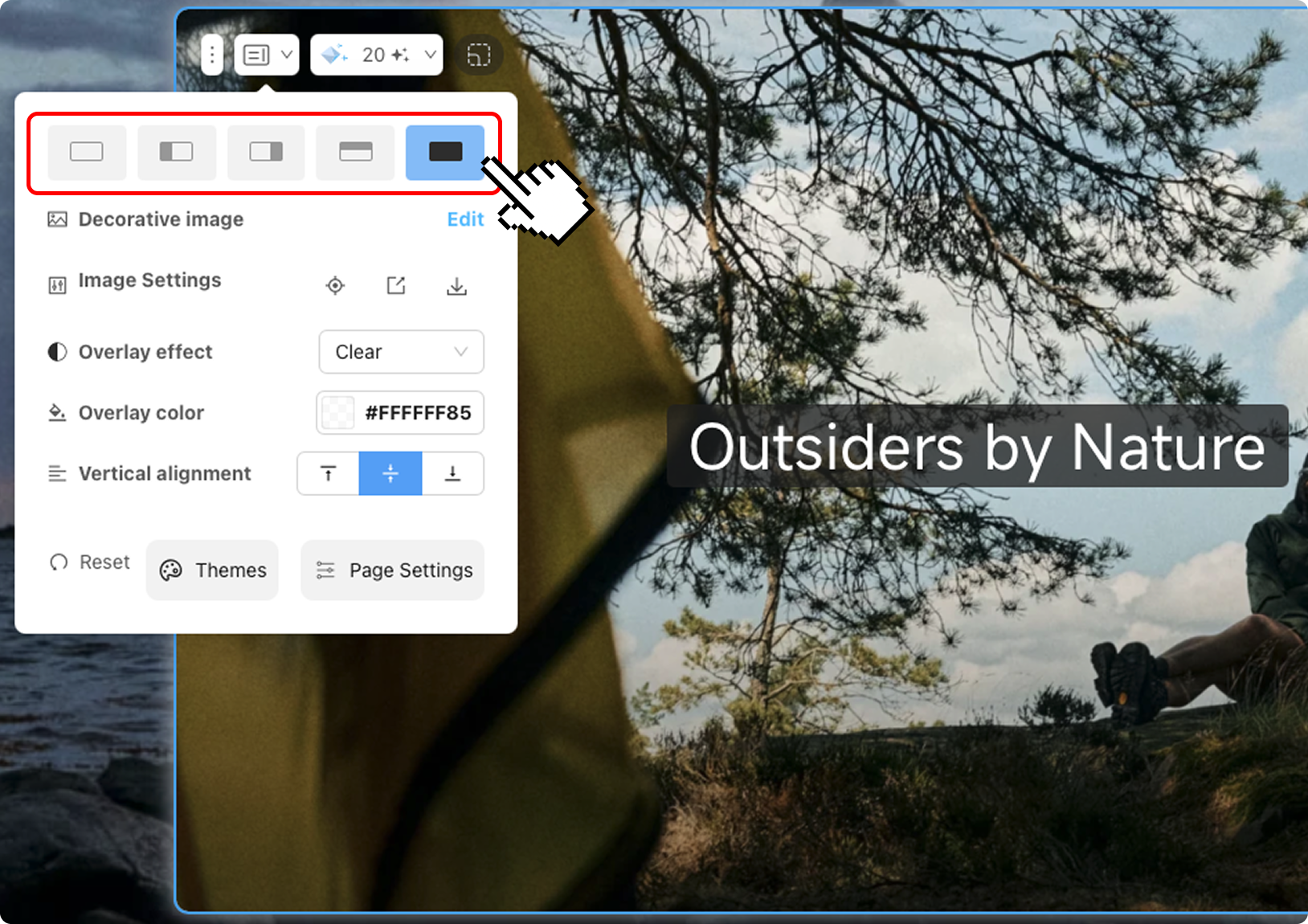
2. Switch to a different layout style
2. Large-scale scene illustrations + chapter titles
The “Outsiders by Nature” page features a large outdoor scene with a simple headline superimposed on it. Its purpose isn’t to cram in information, but to give the document some breathing room and help readers transition into the next section.
Pages like this can serve as chapter separators. For example, for a coffee brand, you could use an image of a coffee shop interior; for a tech product, a scene showing the product in use; and for a sports brand, images of training or competition.
In Pi, you can add large images using the “Image” feature and then overlay a “Title” or “Text Box.” If you want the title to stand out more, you can add a semi-transparent color block or a title box.
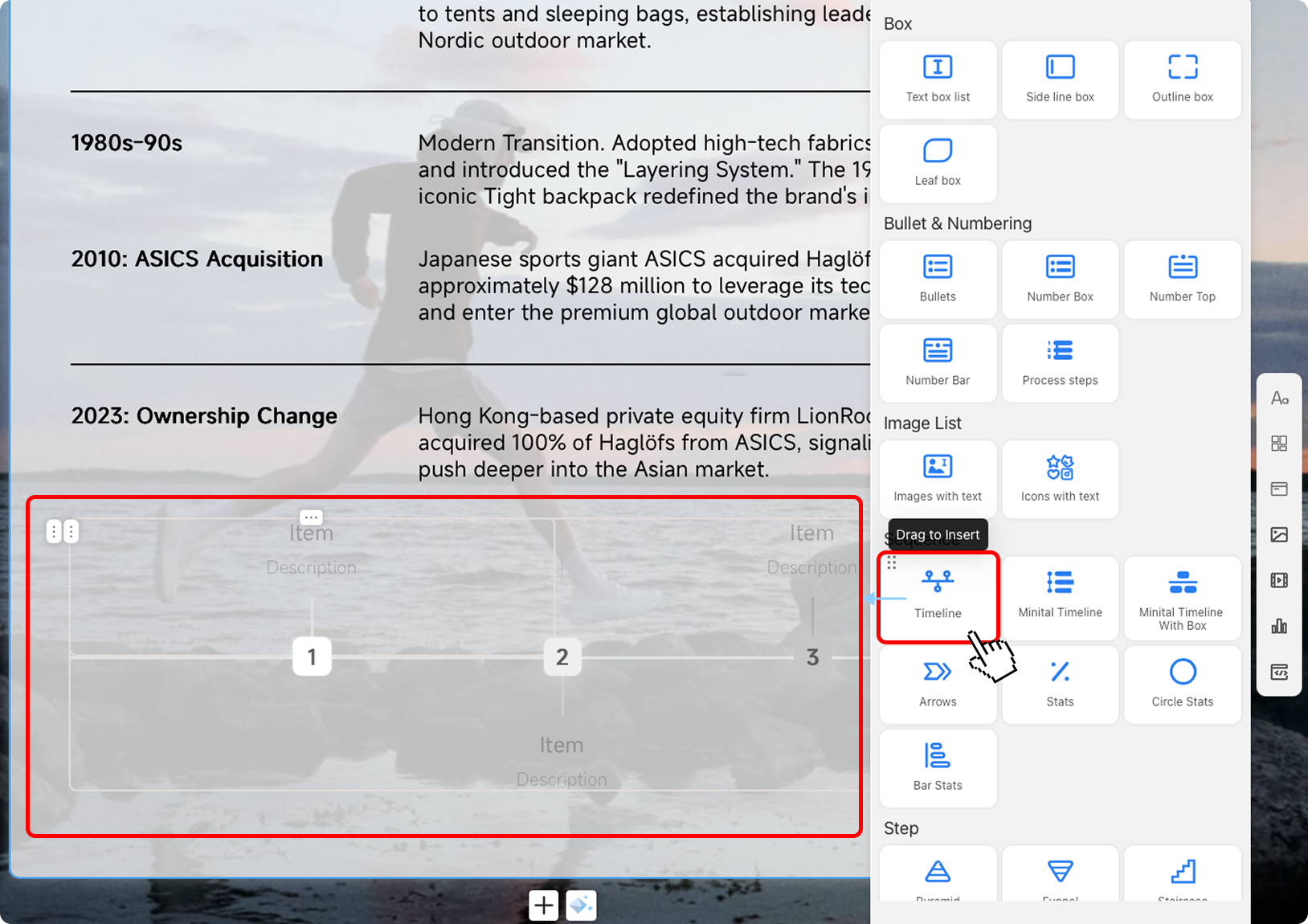
3. Drag the desired timeline component into the timeline and make some simple adjustments
3. Table-Style Timeline
The brand evolution page uses a “Period / Key Milestones” table structure to break down the brand’s history into time periods and key events. This structure is ideal for clearly explaining “how something has evolved.”
You can use it to document brand history, product version iterations, company development stages, and market expansion paths, or even for project retrospectives.
In the Pi Editor, you can build layouts using the Canvas or card areas, then use Text Boxes and Dividers to create a table-like structure. Place the dates on the left and the event descriptions on the right—this makes the content clearer than plain paragraphs.
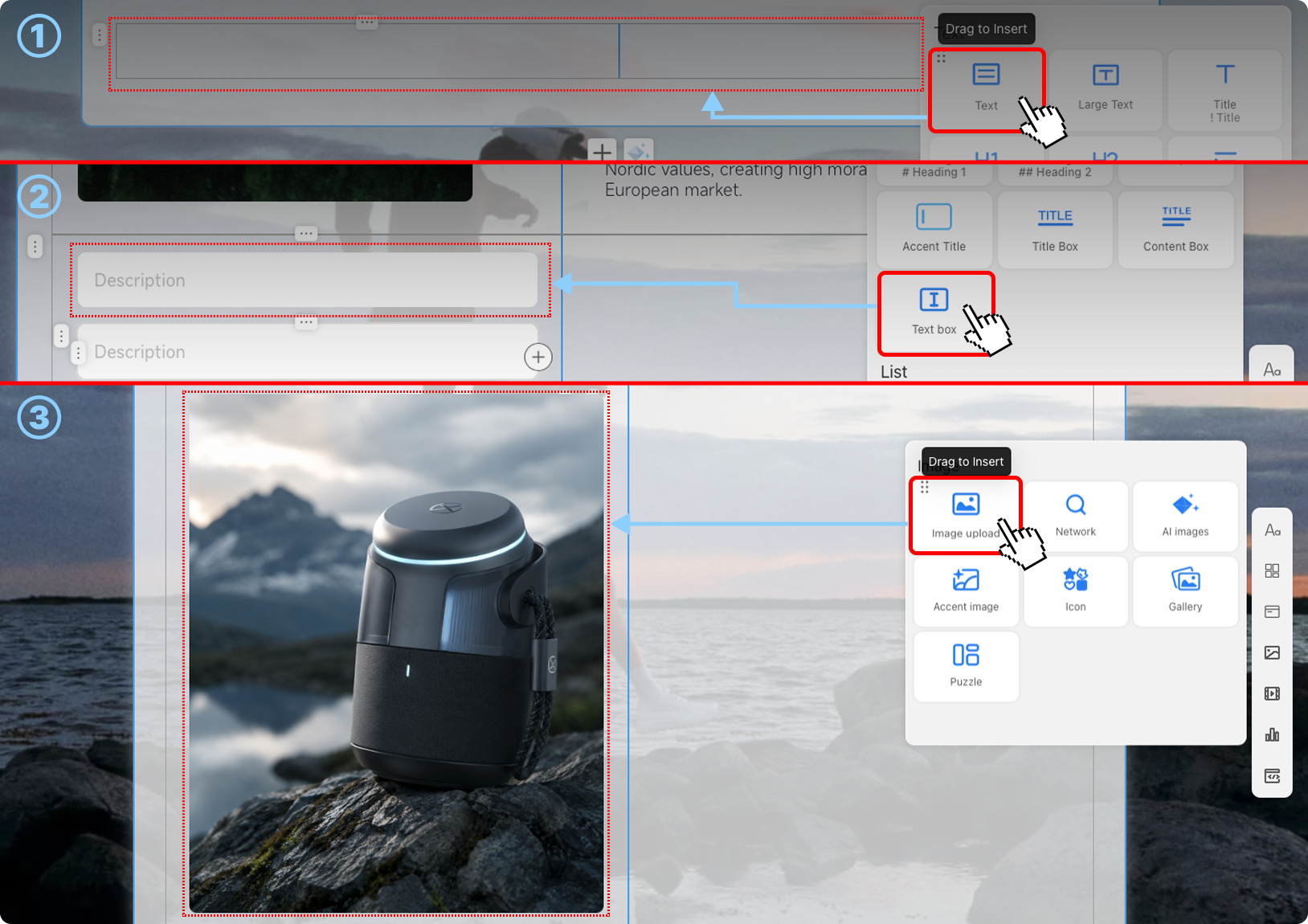
4. Step-by-Step Guide to Reconstructing a Two-Column Card Layout
4. Two-Column Card Analysis Structure
The marketing strategy page uses a typical two-column layout: the left column presents a case study, while the right column features an image or another case study; each key point is organized into small cards, such as “Strategy,” “Impact,” “Key Campaign,” and “Logic.”
This structure is well-suited for analytical content because it breaks down complex information into smaller parts, allowing users to see at a glance “what the event was, what the strategy was, and what the results were.”
In Pi, to add a text box, drag the desired “Text” component from the right side; to add an image, drag it from the “Image” section to convey information at different levels. Images can be placed alongside the text to serve as visual anchors, preventing the page from becoming purely text-based.
Suitable for: marketing events, product selling points, user insights, competitor comparisons, project highlights, and campaign reviews.
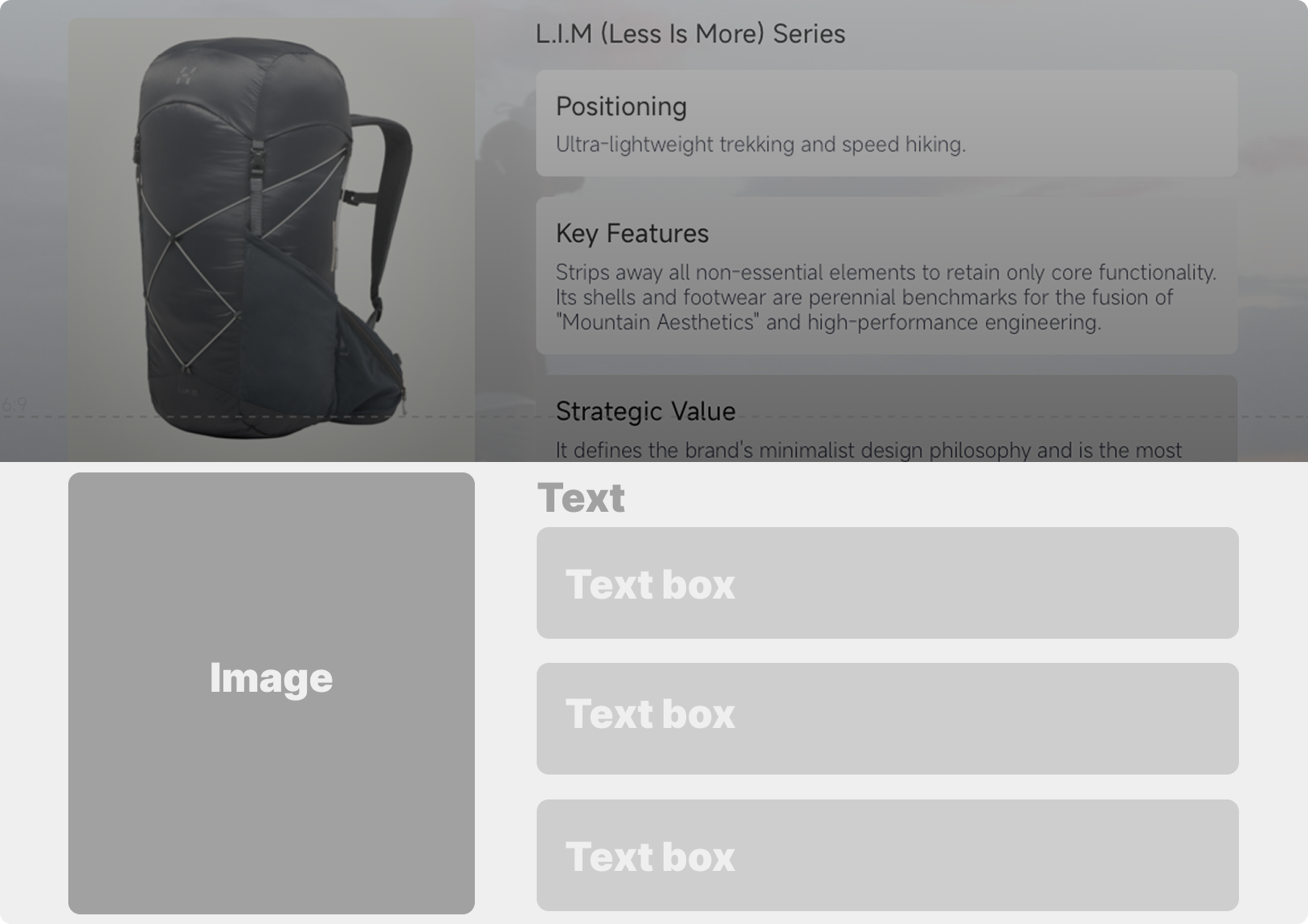
5. A Brief Analysis of Product Card Layout and Structure
5. Product Card Structure
In the “Product Line” section, different product series are broken down into Positioning, Key Features, and Strategic Value. This structure is very practical and can be directly applied to any product introduction document.
For example, if you’re introducing a SaaS product, you can adapt it to “Target Users,” “Core Features,” and “Business Value”; if you’re introducing a consumer product line, you can adapt it to “Design Concept,” “Key Materials,” and “User Scenario.”
In Pi, you can use Content Box or Card components to create sections and then insert product images. By maintaining the same information structure for each product, the entire document will look very professional.
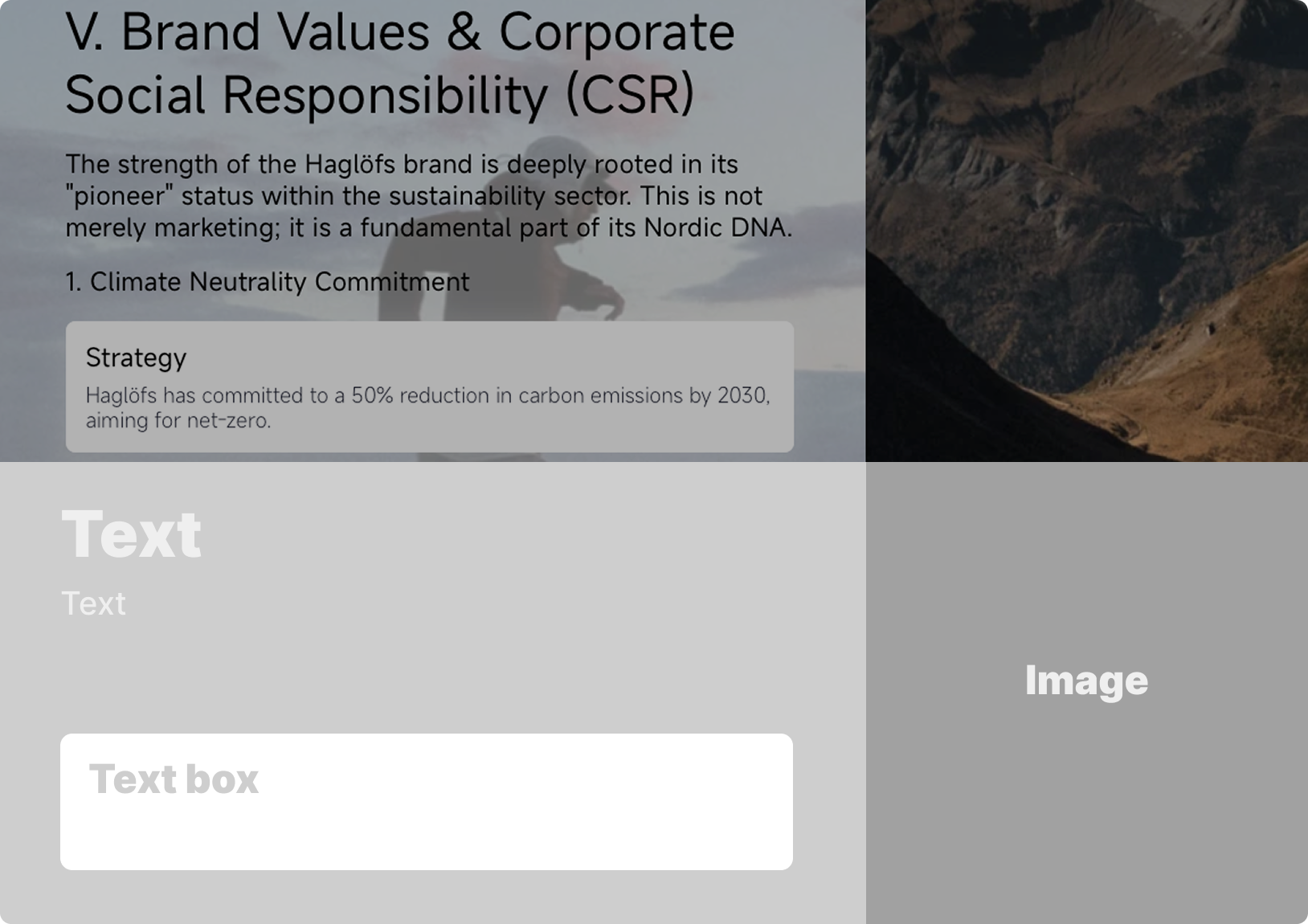
6. A Brief Analysis of the Layout and Structure of CSR Information Cards
6. Values and CSR Fact Sheet
The final Brand Value and CSR page uses vertical info cards to showcase content such as Climate Neutrality, Circular Economy, and Animal Welfare. This structure is well-suited for placement toward the end of the document to summarize the brand’s stance and long-term values.
For other themes, this section can be adapted to cover brand principles, service commitments, social value, future plans, or user trust mechanisms.
In Pi, you can use Info Boxes, Note Boxes, or Text Boxes to create information cards, paired with a vertical image or large background image on the right to form a concluding page that conveys both “perspective and emotion.”
How do I copy a document in Pi and edit it to make it my own?
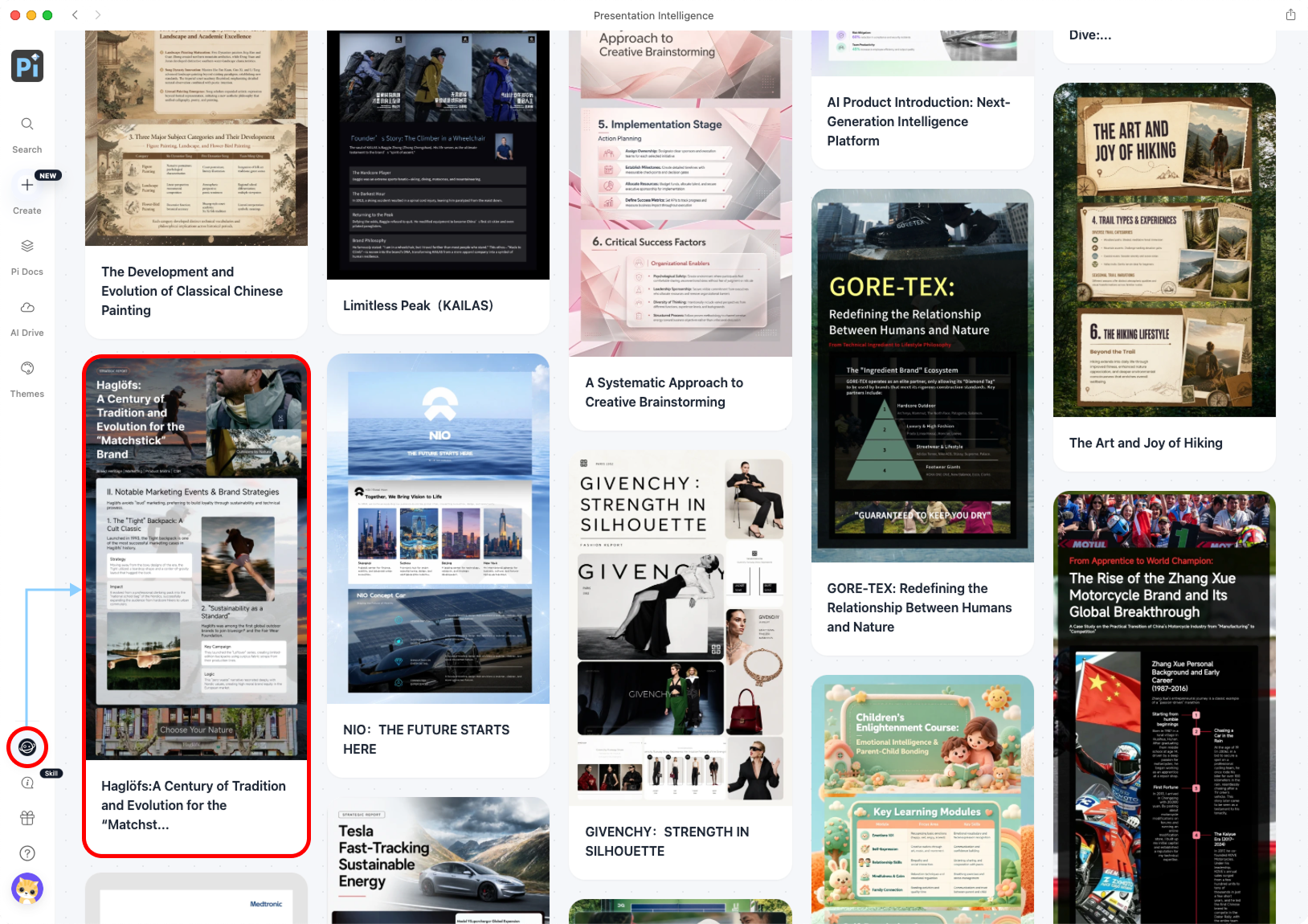
Click the planet icon in the lower-left corner to go to Pi Square, browse featured case studies, and select a high-quality case study you’d like to use as a reference.
Once you’re on the Pi homepage, click the planet icon in the bottom-left corner to enter Pi Square. Here, you’ll find many high-quality, pre-built case studies covering areas such as branding, reports, research, education, art, and marketing. Once in Pi Square, find a case study that interests you. For example, take a look at this Haglöfs brand research document—click on it to view the full content. You can start by browsing its cover, chapter structure, card styles, and content organization to determine if it’s a good fit for your topic.
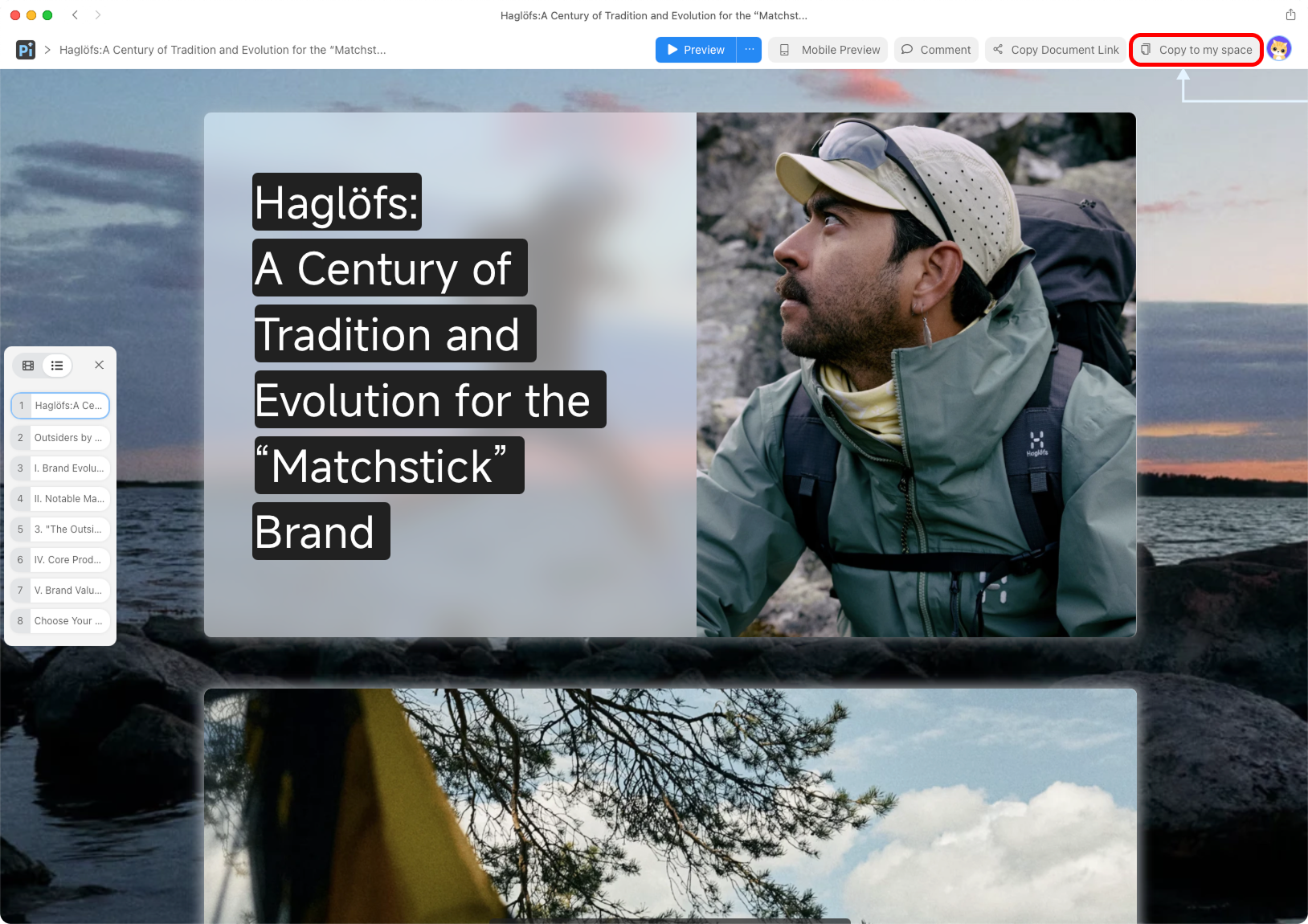
Click “Copy to my space” to copy the case to your space and start editing it.
If you want to create the same design, click “Copy to My Space” in the upper-right corner. Once copied, this example will be added to your personal space, where you can edit it as you like.
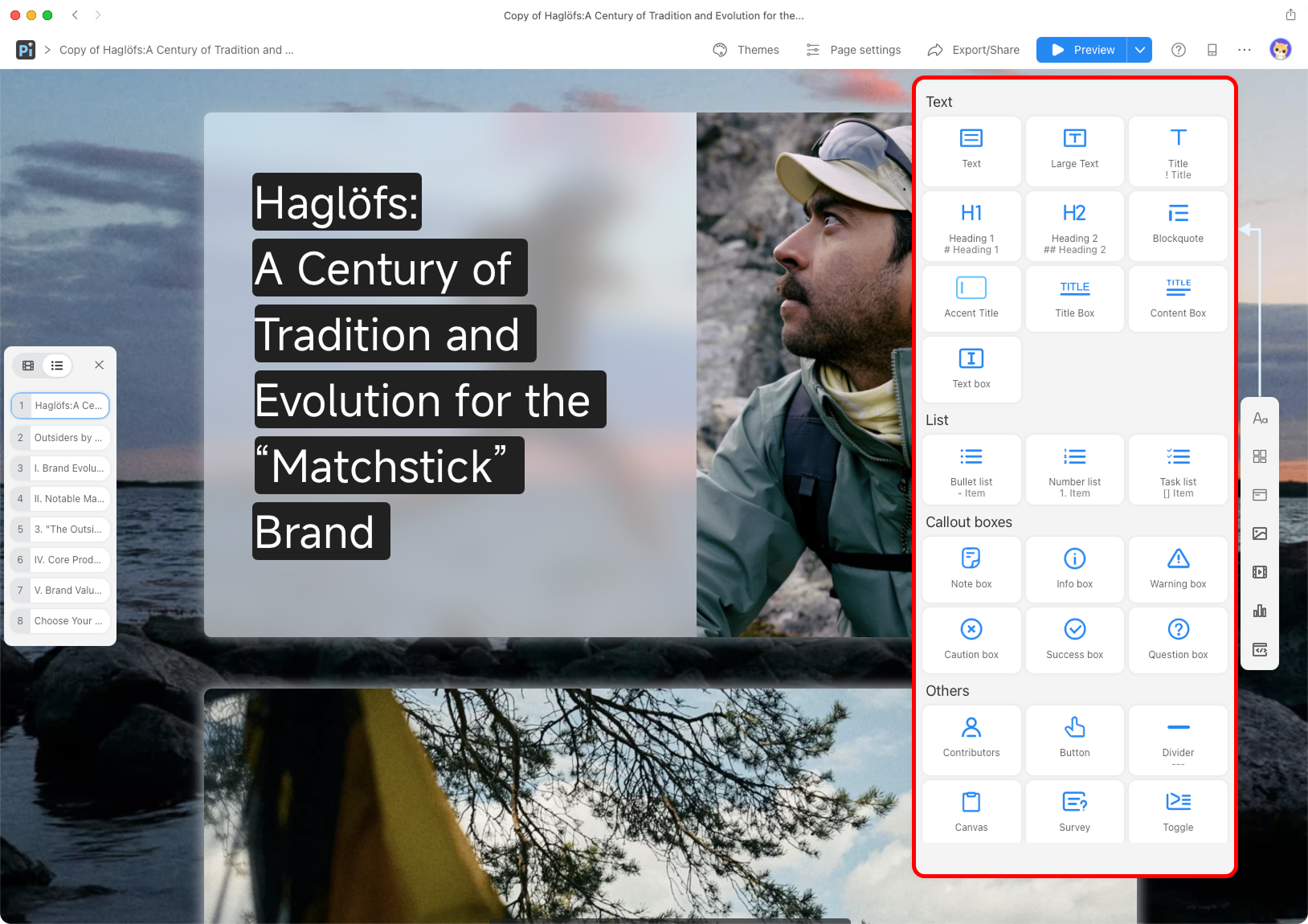
Edit text, images, components, and layouts in the editor, then share or export your work when you're done.
Once you’re in the editor, you can add the content you want from the component panel on the right. For example, use Text, Large Text, and Title to add headings and body text; use Content Box, Info Box, and Note Box to create analysis cards; use Image, Video, Icon, and Embed Link to add images, videos, icons, or external links; you can reorganize the page structure using components and cards; or you can simply double-click content in the document to edit it.
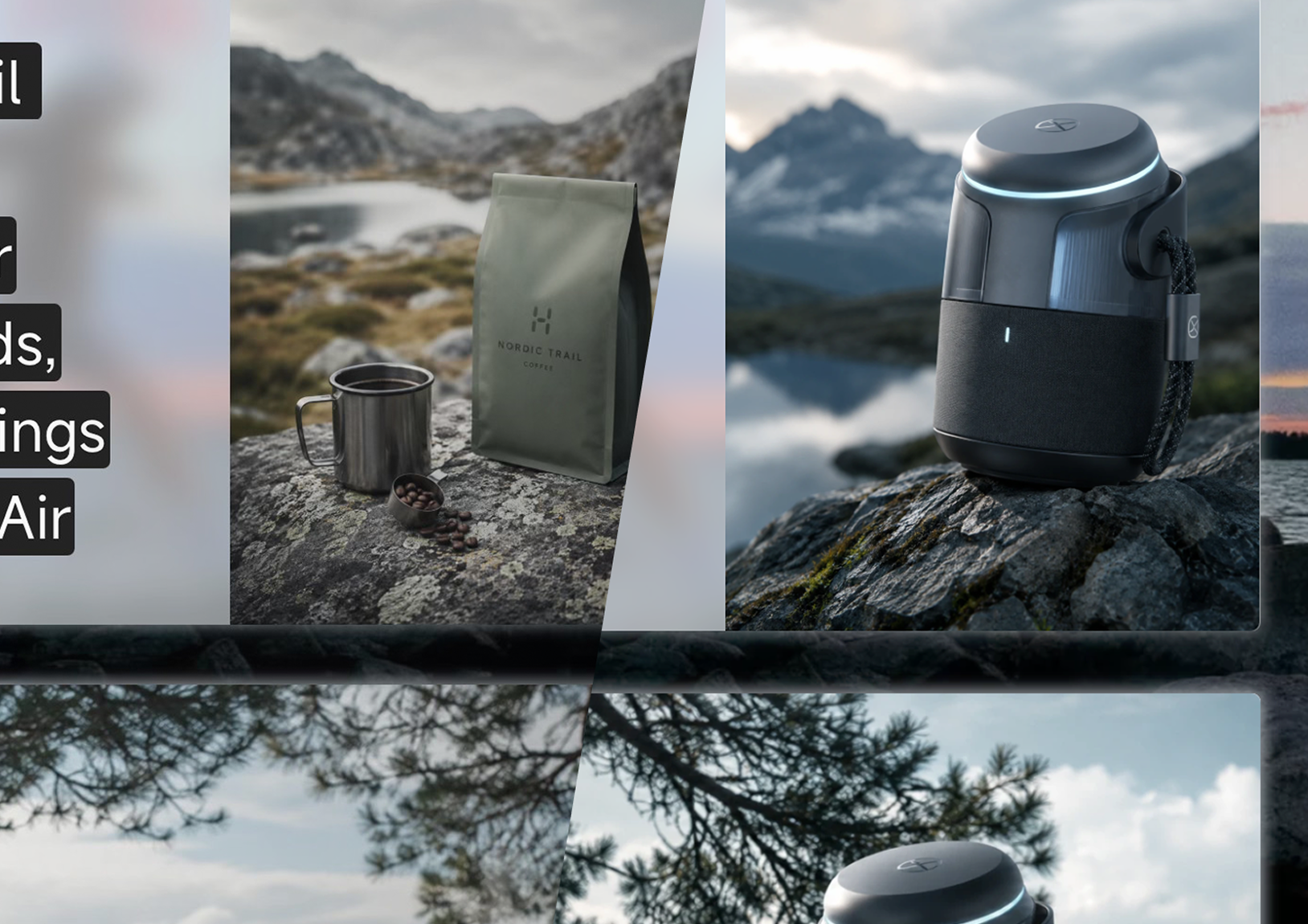
Demo: Coffee Brand / AI Product
You don’t need to copy the original case study word for word. A better approach is to retain its structural logic and replace the content with your own brand’s information. For example, if you replace Haglöfs with a coffee brand, you can keep sections such as “Brand Origins,” “Classic Products,” “Marketing Campaigns,” and “Brand Values”; if you replace it with an AI product, you can adapt the sections to “Product Background,” “Core Features,” “User Scenarios,” “Market Strategy,” and “Future Roadmap.”
Once you’re done, you can click the share link to send the document directly to your team, clients, or readers; you can also export it in the format you need for presentations, proposals, or content publishing.
Start Your Next Brand Story with a Case Study
A good brand document isn’t just about filling pages with information—it’s about ensuring readers walk away knowing where the brand comes from, what makes it special, and where it’s headed.
The Haglöfs case study demonstrates a highly practical approach: using visuals to establish a brand’s character, structure to convey information, cards to break down complex content, and a narrative to connect brand values.Whether you’re conducting brand research, creating a product introduction, performing market analysis, or drafting a project proposal, you can start with this template.
Now, you can click the button below to go to Pi, select this case study or any other Square template you like, copy it to your own space, customize it with your own content, and generate your very own brand story document.
Start Creating with Pi

 Useful Style Words for AI Image Prompts: How to Describe the Visual Style You Want
 Creative Agency Client Proposal Template: Winning B2B Deals with Aesthetics